
⁂ Article
MacBook Neo ports explained: The right USB-C port to use
Once you’ve unboxed your MacBook Neo, it’s important to know that the two ports on the side are not equal in terms of ability. While both are equal when it comes to the charging function, the USB 3 port is best for data transfer, while the second USB 2 should be used for charging. In this article, we’ll explain everything you need to know about MacBook Neo wired connectivity, including how to know which MacBook Neo port to use.
At a glance: How to use MacBook Neo ports
- Rear port, closest to the hinge (USB 3, 10Gbps): Use for displays, hubs, storage, and data transfer
- Front port (USB 2, 480Mbps): Use for charging or low-speed accessories
We recommend: Apple MacBook Neo
 Price When Reviewed:
$599
Best Prices Today:
$599 at Amazon |
$599 at Apple |
$599 at Walmart
Price When Reviewed:
$599
Best Prices Today:
$599 at Amazon |
$599 at Apple |
$599 at Walmart
Why the two MacBook Neo USB-C ports are different
Apple
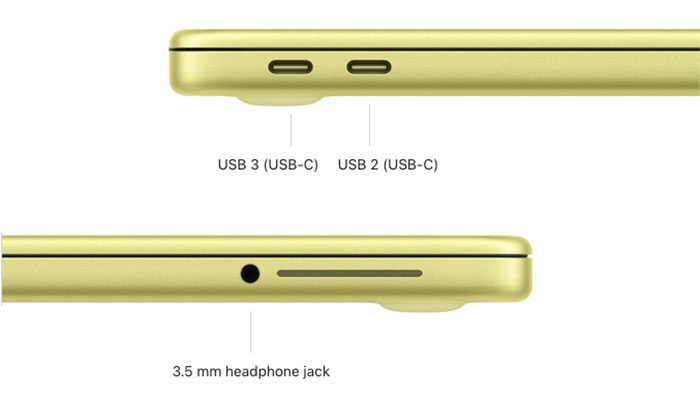
Apple lists the MacBook Neo’s ports as:
- One USB 3 (USB-C) port, at 10Gbps, with support for:
- Charging
- DisplayPort
- USB 3 (up to 10Gb/s)
and
- One USB 2 (USB-C) port, at 480Mbps, with support for:
- Charging
- USB 2 (up to 480Mb/s)
The USB-C port closest to the hinge is the 10Gbps “USB 3” port. According to Apple, this is good for “Charging” and “DisplayPort”.
By “DisplayPort” Apple means this port is powerful enough to connect to a USB-C monitor. It can also be used for general data transfer tasks so is great for adding storage drives such as USB-C thumb drives, SSDs, card readers or other video connections such as HDMI.
The second USB-C port on the Neo is less able—a lot less when it comes to data transfers. It’s just as useful for charging the Neo but its “USB 2” bandwidth is just 480Mbps (megabits per second).
To put that in perspective, 480Mbps is 21 times slower than the 10Gbps port; 83 times slower than Thunderbolt 4, and 160 times slower than Thunderbolt 5.
Because charging works the same on both ports, it usually makes sense to use the slower USB-2 port for charging and keep the faster USB-3 port free for accessories.
How MacBook Neo ports compare to MacBook Air and Pro
The ports on the MacBook Neo may be enough for your needs, but if they aren’t then the more expensive MacBook Air and MacBook Pro both boast Thunderbolt ports. These Thunderbolt ports look identical to USB-C ports and are compatible with that standard.
The Air features two Thunderbolt 4 ports, which each have a data-transfer bandwidth of 40 Gbps (gigabits per second); the plain M5 MacBook Pro also has Thunderbolt 4 ports, although three of them rather than the Air’s two.
The M5 Pro and M5 Max MacBook Pro boast three Thunderbolt 5 ports, which have a bandwidth of 80Gbps and a boost potential of 120Gbps for high-end video connections.
The Neo’s data-transfer 10Gbps potential looks weedy in comparison: four times slower than Thunderbolt 4 and eight times slower than Thunderbolt 5. But 10Gbps is plenty fast enough for most of us not engaged in pro video editing or other demanding data-transfer tasks.
Also note that both the MacBook Air and the MacBook Pro also feature a MagSafe 3 charging port that is used for charging only, freeing up the Thunderbolt ports for data tasks.
At a glance: MacBook UCB C/Thunderbolt Ports
| Port type | Mac | Speed | Typical use |
|---|---|---|---|
| USB 2 (front port) | MacBook Neo | 480Mbps | Charging, keyboard, mouse |
| USB 3 (rear port) | MacBook Neo | 10Gbps | Drives, hubs, displays |
| Thunderbolt 4 | MacBook Pro & MacBook Air | 40Gbps | Pro storage, docks |
| Thunderbolt 5 | MacBook Pro M5 Pro & M5 Max | 80–120Gbps | High-end video and pro workflows |
What to plug into the faster USB-3 port
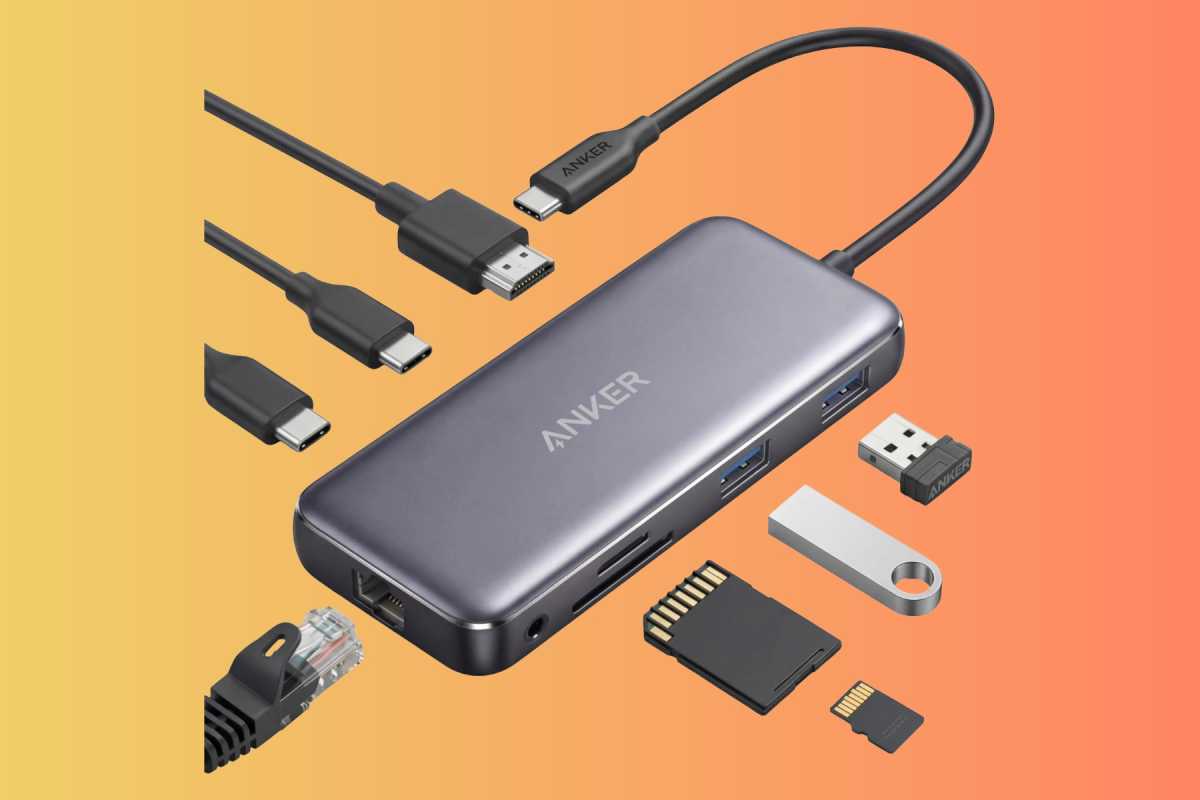 Use the Neo’s 10Gbps USB-C port to connect a hub such as the Anker 555 if you want to really upgrade your port options.
Anker/Amazon
Your best bet if planning on adding extras, such as an external monitor, or a storage drive, is to buy a USB-C hub that will add up to 12 additional ports via one connection to the MacBook Neo’s USB-3 capable port; check out our reviews of the best USB-C hubs for MacBook for our recommendations.
Some adapters and hubs also offer an Ethernet port if you want to hook up to a wired network.
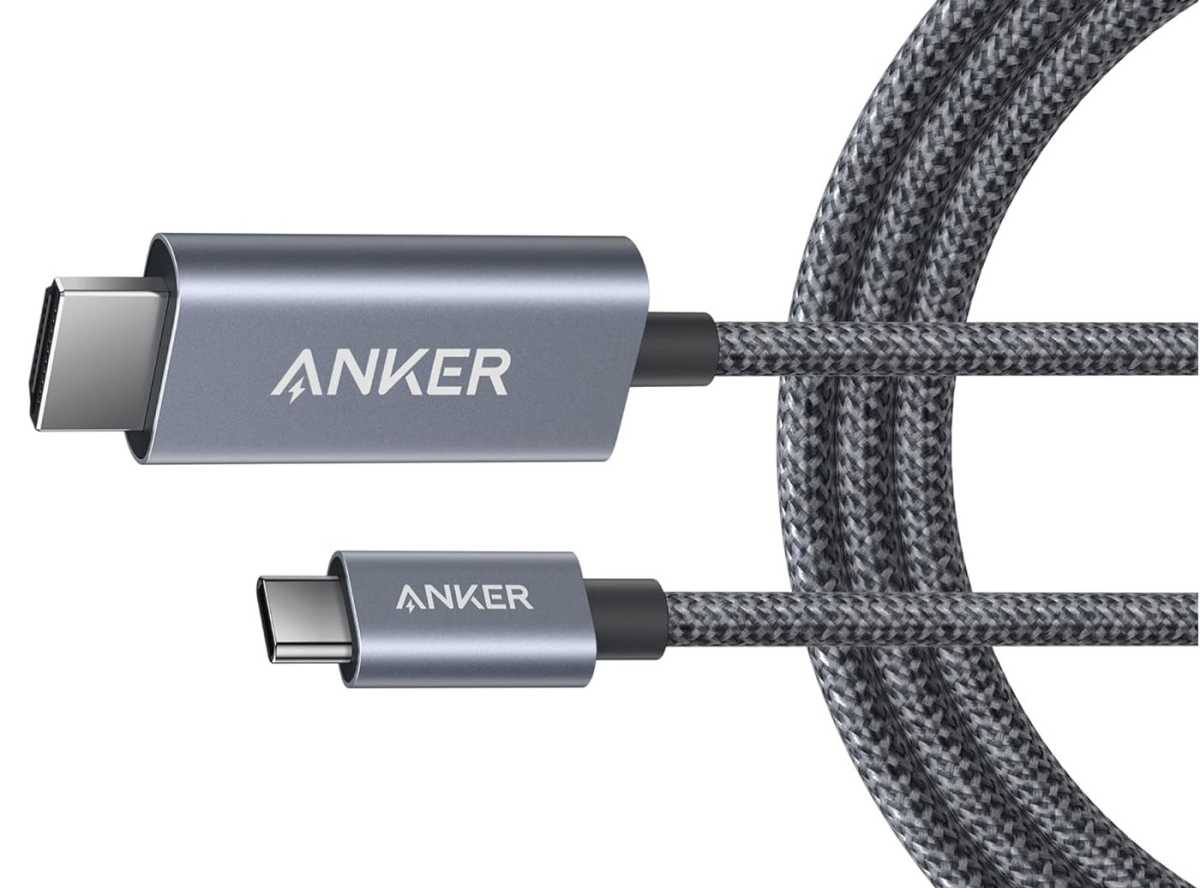
You can also buy a USB-C to HDMI cable if your chosen external monitor doesn’t support a direct USB-C connection.
Anker
What to plug into the slower USB-2 port
This should be the port you use for charging, keeping your other port free for other accessories. When not charging you can use this port for low-power accessories.
You can attach a storage drive to this port, but it will be much slower than if you use the alternative 10Gbps port.
You can’t attach a monitor to this port: Apple warns you off using the front port to connect to a monitor.

Foundry
Other considerations: Get a better Power Adapter
The Neo comes with Apple’s 20W Power Adapter—although U.K. and E.U. purchasers don’t even get that in the box. Apple knows it’s not a great charger, because it doesn’t offer it as an individual buy on the Apple Store.
20W is pretty puny, and even though Apple doesn’t list a fast-charging feature for the Neo, we expect it can handle more power input so buy a better charger should be one of your first accessory buys. We will be testing the Neo’s faster-charging potential soon. In the meantime, you can find the best USB-C chargers for MacBook that have gone through our labs.